Chat-first web UI
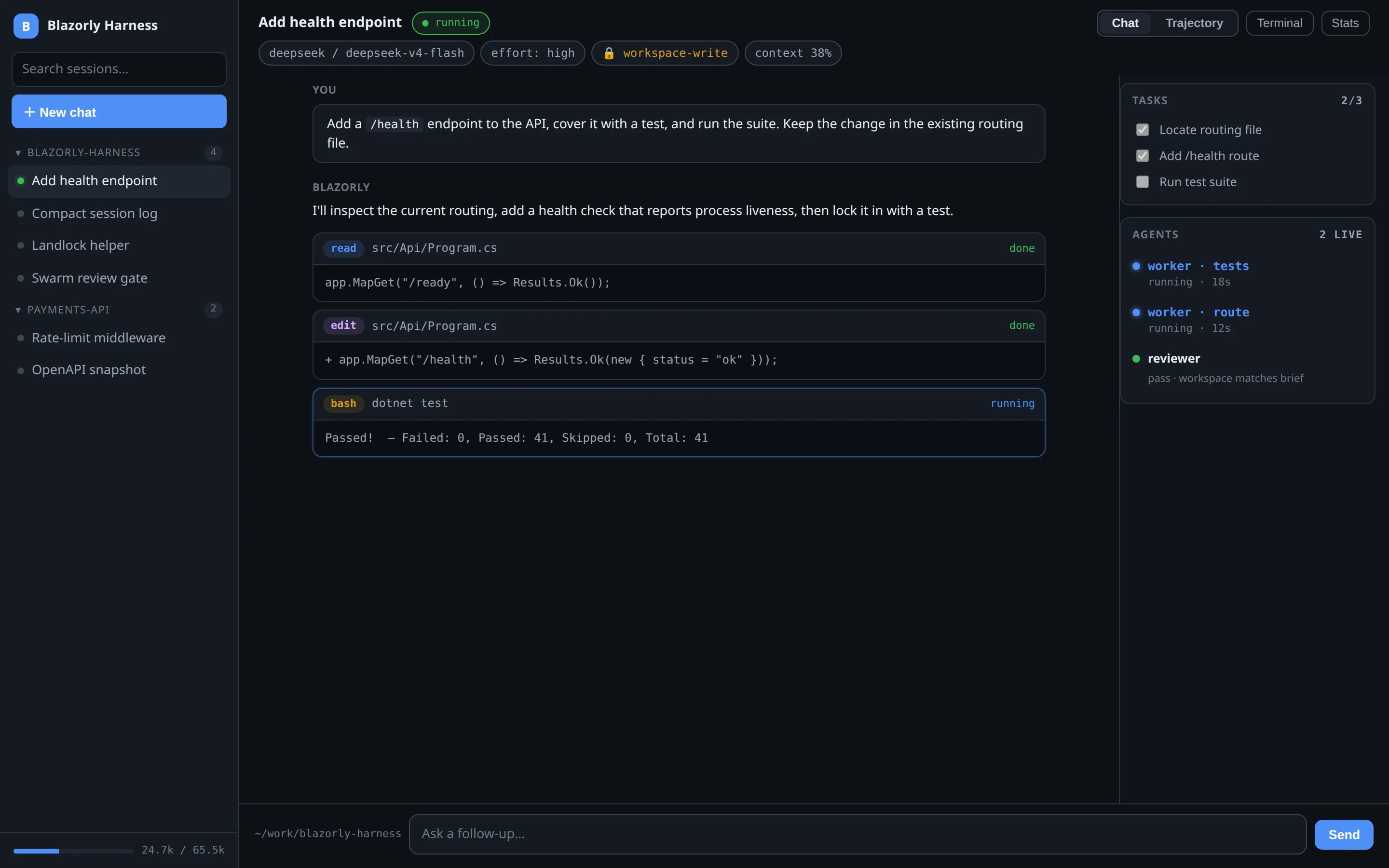
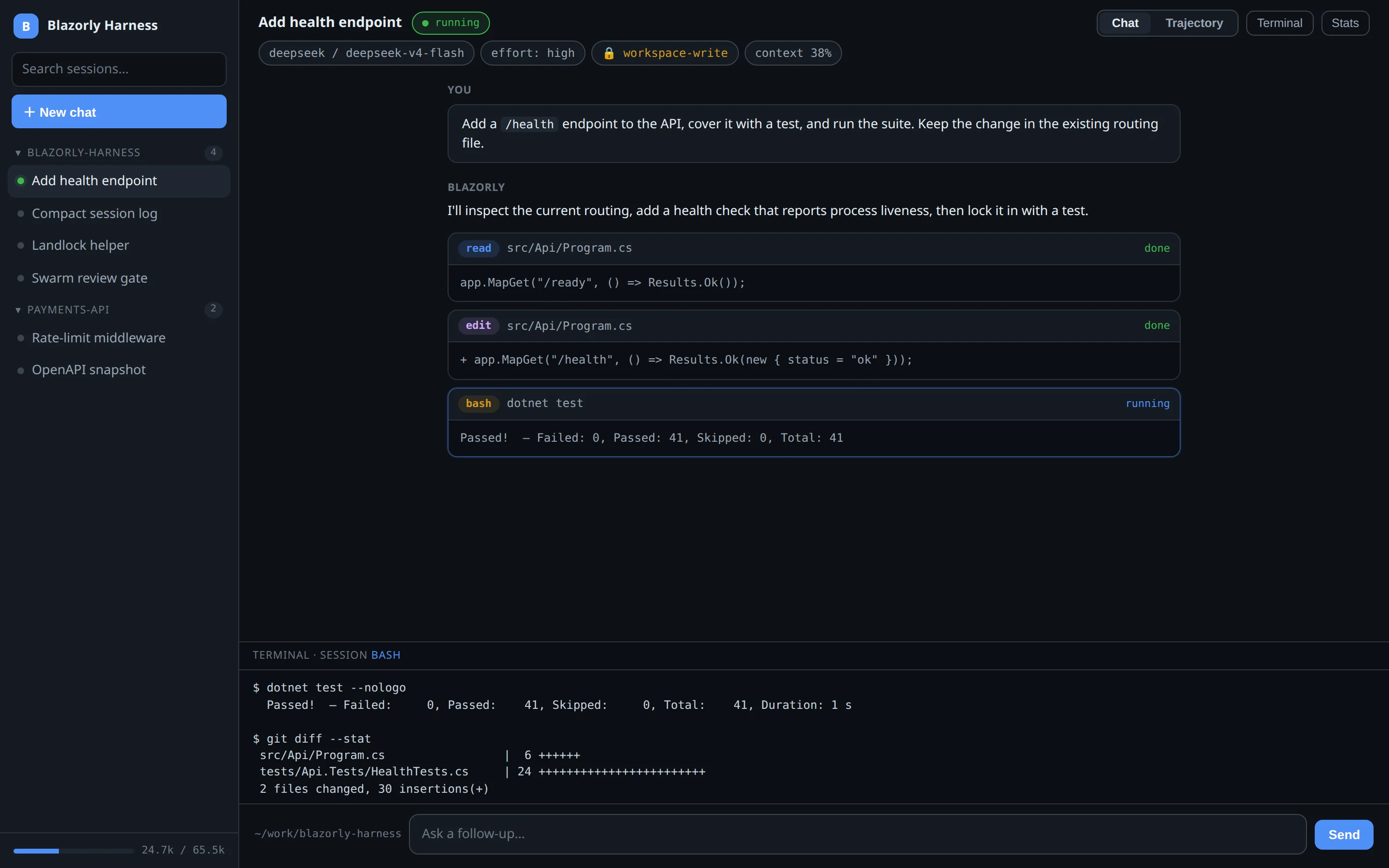
Streaming turns, live tool cards, a terminal drawer, a task list, a context meter, and an agents panel for every sub-agent in flight. Open any browser at http://localhost:5080.
Open source · MIT · single binary
Blazorly is a local agentic coding harness: give it a task and it reads, writes, runs commands, searches the web, and orchestrates sub-agents until the work is done. Chat UI in the browser, or headless for CI.
curl -fsSL https://raw.githubusercontent.com/deepakkumar1984/blazorly-harness/main/installer/install.sh | bash
powershell -c "irm https://raw.githubusercontent.com/deepakkumar1984/blazorly-harness/main/installer/install.ps1 | iex"
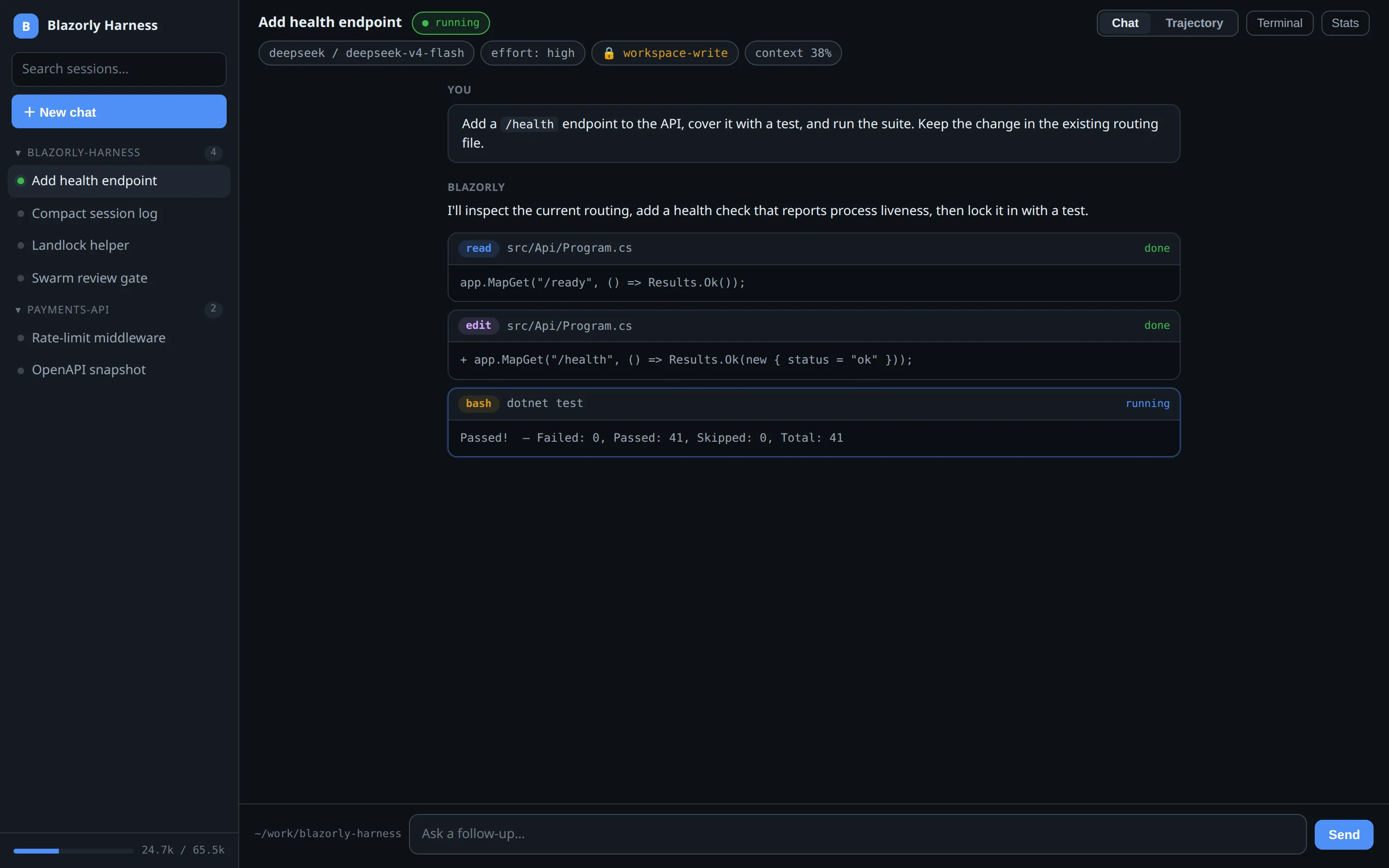
The web UI at localhost:5080 — streaming turns, live tool cards, permission presets.
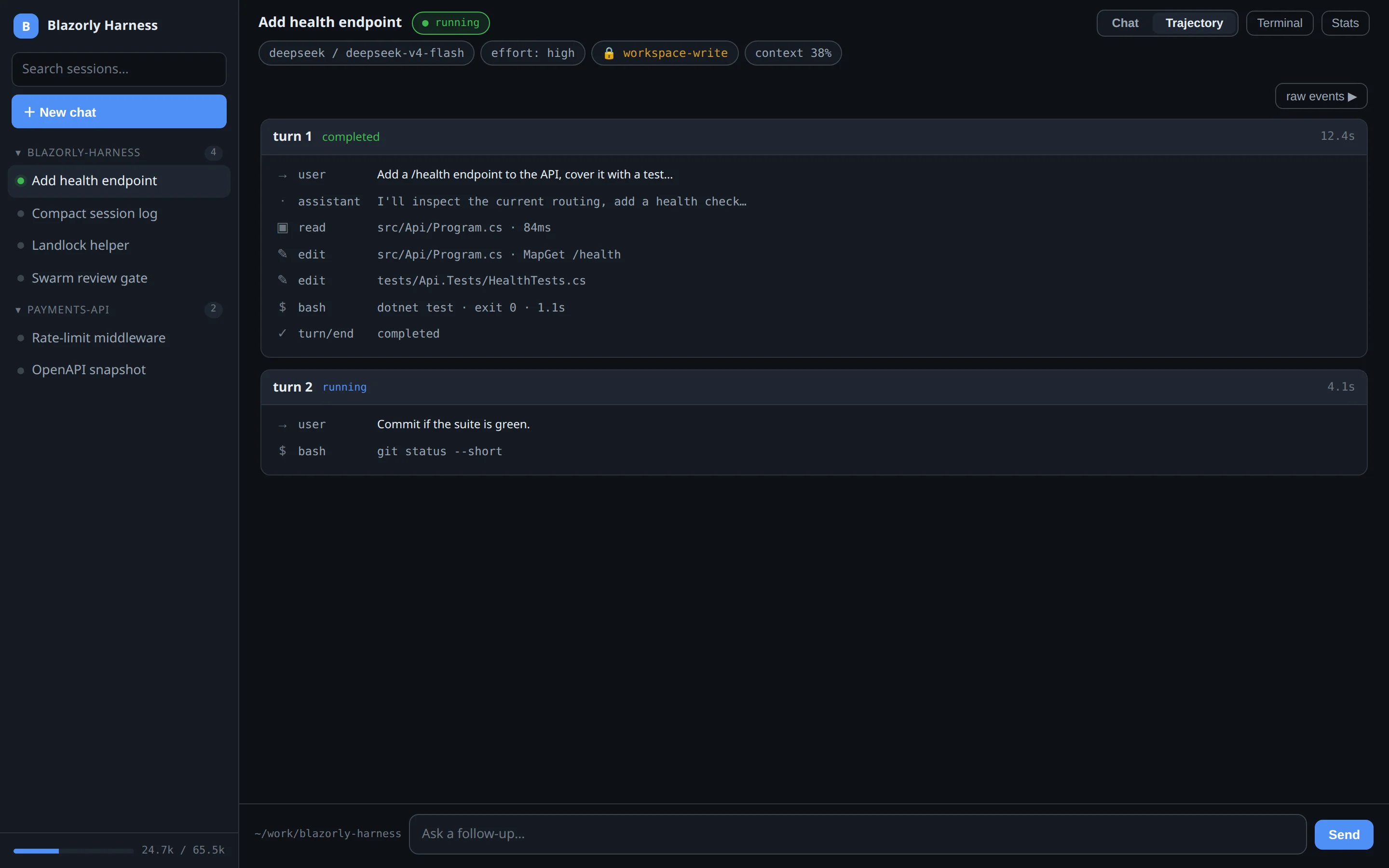
A recorded walkthrough of the chat UI: the agent reads a file, edits routing, writes a test, runs dotnet test, and a reviewer checks the workspace. Nothing here is a mock API — the chrome matches the real app.
Demo of Blazorly adding a /health endpoint, covering it with a test, and passing the suite under a workspace-write sandbox.
Blazorly is an agentic coding harness: the runtime around a language model that turns a prompt into file edits, shell commands, searches, and verified work. You bring the provider and the key. The harness owns the loop, the tools, the log, and the stop button.
An agentic coding harness is the software that sits between you and a coding model: it calls tools, keeps a durable session, sandboxes writes, and can spawn other agents. Blazorly is that harness as a self-contained binary with a chat UI and a headless CLI. It is not an IDE plugin and it is not a hosted cloud agent. It runs on localhost, talks to DeepSeek, OpenAI, Anthropic, xAI, Ollama, LM Studio, or any OpenAI-compatible route, and never sends a provider’s key to a different route.
Streaming turns, live tool cards, a terminal drawer, a task list, a context meter, and an agents panel for every sub-agent in flight. Open any browser at http://localhost:5080.
Swarm, review, and teams run as children of the current session. The sidebar does not fill with noise. Failed swarm tasks re-dispatch with the reviewer’s notes.
Every turn, tool call, and cancel is appended to a session log. Stop mid-stream and the partial answer stays. Kill the process and the next message resumes from a repaired tail.
Tool output is first-class in the transcript. Sub-agents show up beside the task list. The terminal is a drawer on the same session, not a second window you lose.
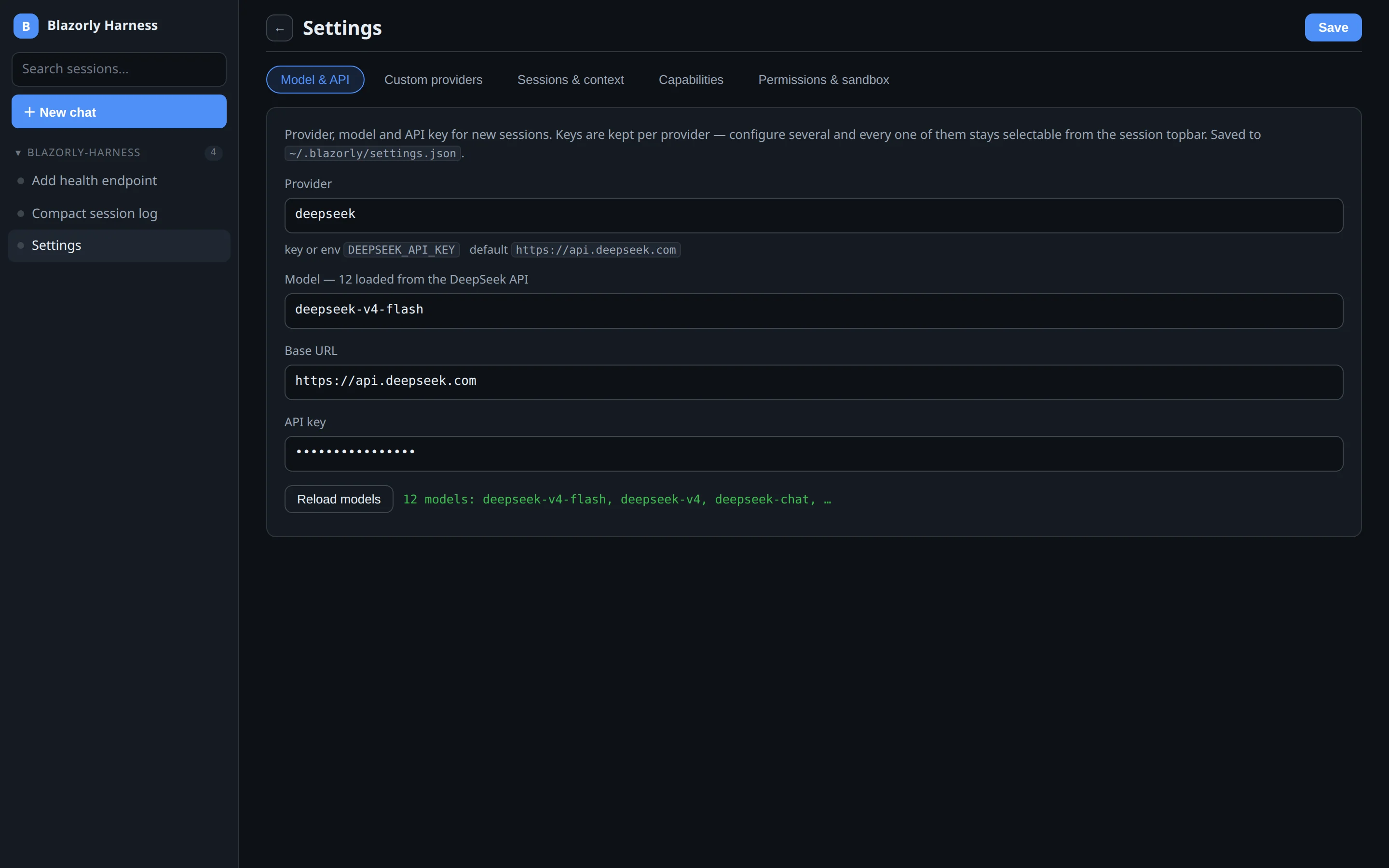
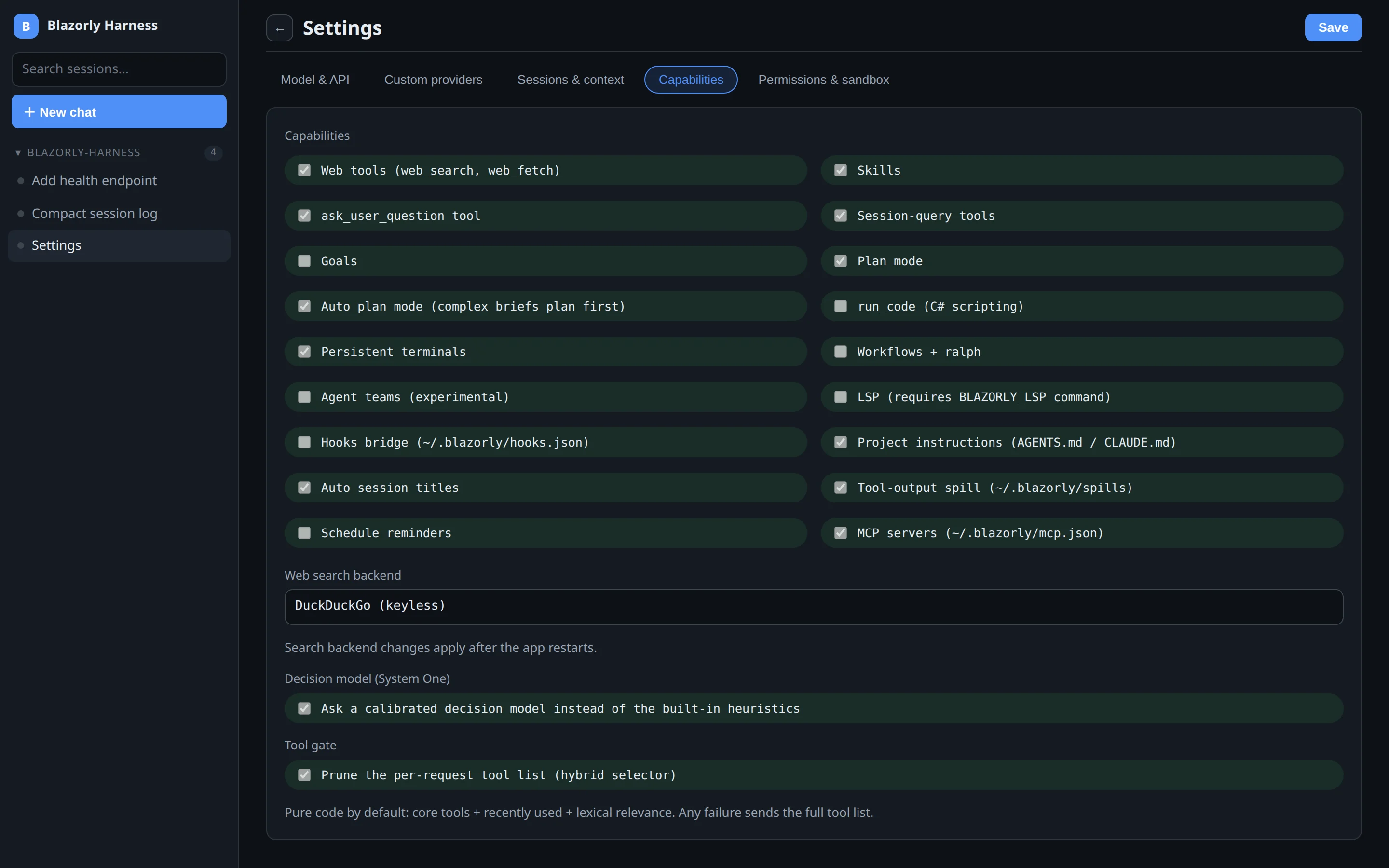
Open Settings from the sidebar. Save writes ~/.blazorly/settings.json. A live session still switches model and permission from its own header — this page is the default for new chats.
Top-right of a session: Chat or Trajectory. Same log. Chat is the conversation; Trajectory is the timeline of tools and turn endings.
bash, read/write/edit, grep/glob, web search and fetch, LSP diagnostics, tmux awareness, session search, run_code, jobs, skills, and every tool your MCP servers expose.
full-access runs on the host. workspace-write confines writes to the session folder. read-only denies mutations. Switch mid-session with /permission.
DeepSeek, OpenAI, Anthropic, xAI, Ollama, LM Studio, and custom OpenAI-compatible routes. Settings discovers models live from each provider’s API.
blazorly run "job" for CI. serve-acp for editors. serve-stdio for automation. Exit codes tell the truth: 0 completed, 2 error, 3 aborted.
Optional fast classifier for tool-gate, auto-plan, and risk-gate. Easy cases stay on a pure-code path. The ambiguous tail is one small model call. Failure returns the full tool list.
blazorly init drafts hierarchical AGENTS.md files from a workspace scan. Dry-run by default; --write creates the files.
blazorly. The UI opens on port 5080. Data lives in ~/.blazorly.settings.json.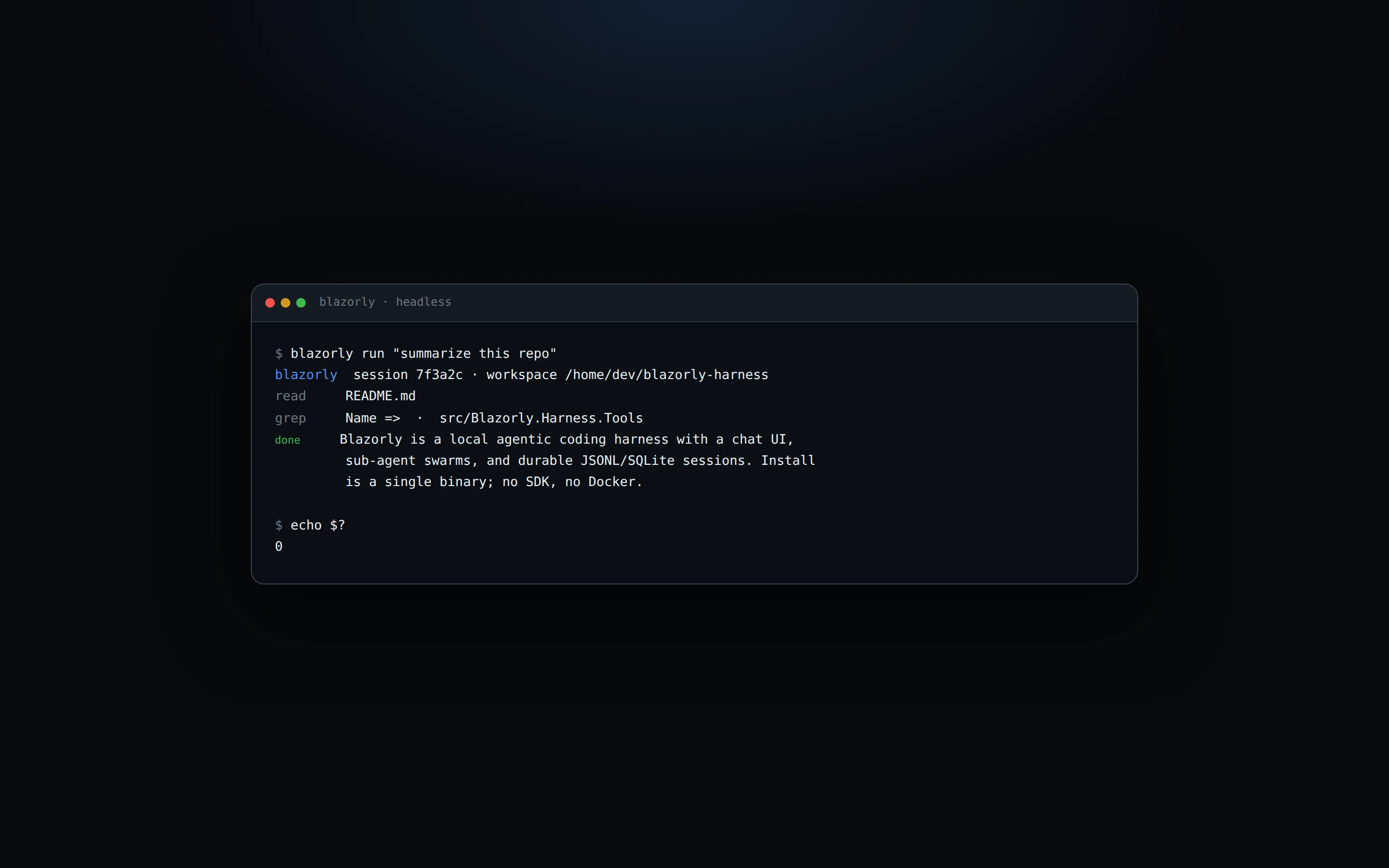
blazorly run "summarize this repo".Blazorly is an open-source agentic coding harness written in .NET 10. It runs a coding agent locally: a Blazor web UI, a headless CLI, and stdio servers (JSON-RPC and ACP) for editors. You supply the LLM provider and API key.
It occupies the same job — a local coding agent with tools — but it is model-agnostic, ships a browser UI instead of a TUI-only workflow, and treats interruption as a durable session state. See the comparison for an honest matrix.
On the machine that runs the binary. Settings and ~/.blazorly/settings.json store them. Environment variables win if the settings field is empty. A provider’s key is never sent to another route.
The harness is local. Point it at Ollama or LM Studio and the loop, tools, and sessions work without a cloud provider. Web search and fetch still need a network, obviously.
The session log is append-only. Turns end with an explicit reason. Cancelled tools close with a result. Partial assistant text is committed. A killed process reloads with in-memory repair and can continue. Details in durable sessions.
One command puts blazorly on your PATH. Re-run it to upgrade — checksum-verified, atomic swap.