Blazorly features
Everything the harness actually ships: the chat UI, the toolset, multi-agent orchestration, durable sessions, the decision model, sandbox presets, and the CLI surfaces. No vapour. No “coming soon” as a heading.
Everything the harness actually ships: the chat UI, the toolset, multi-agent orchestration, durable sessions, the decision model, sandbox presets, and the CLI surfaces. No vapour. No “coming soon” as a heading.
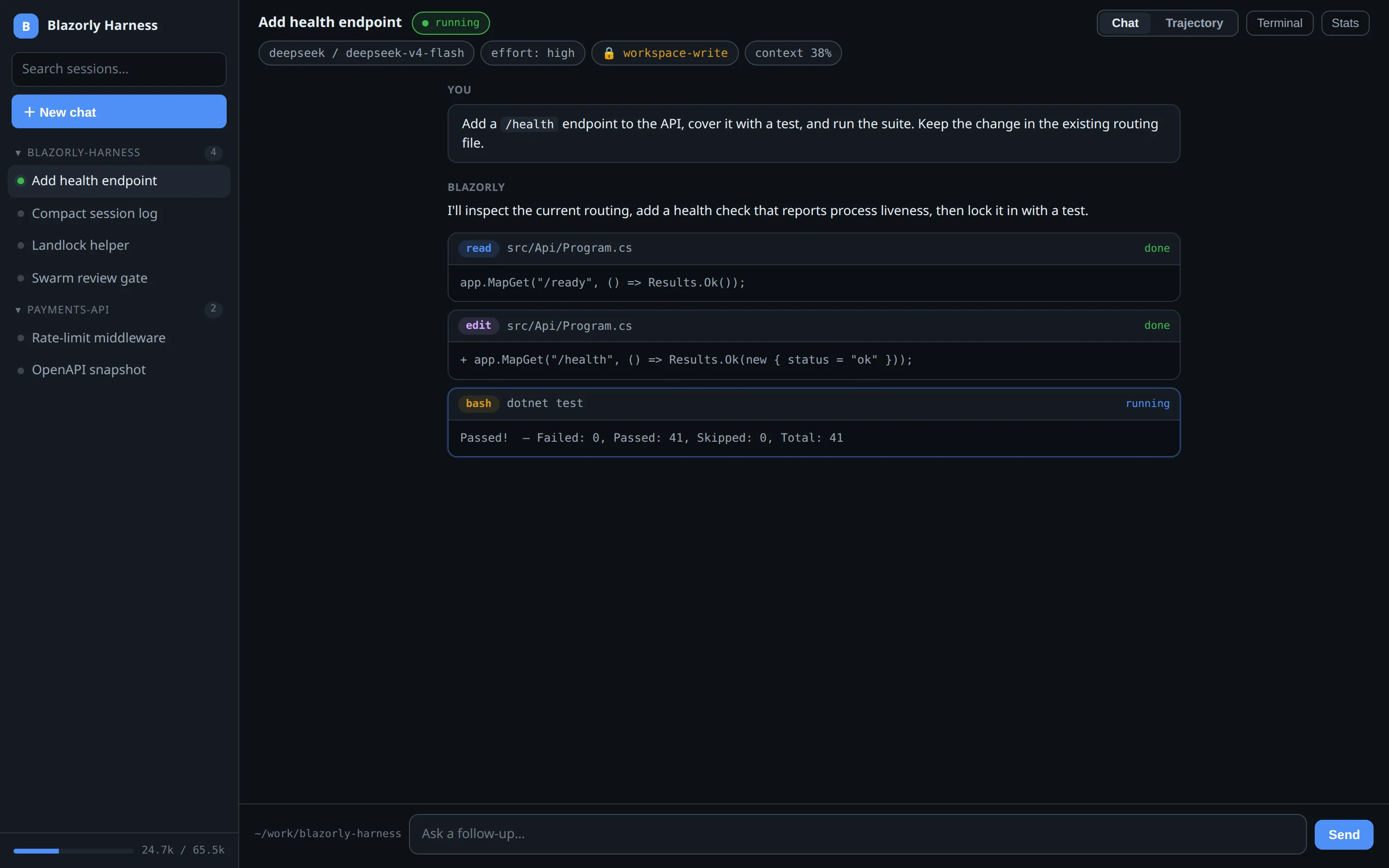
Blazorly’s primary surface is a Blazor Server app on port 5080. It is not a thin log viewer. Streaming assistant text, reasoning, and tool cards land in the transcript as they happen. A context meter shows how much of the window is used. A task list tracks the agent’s own todos. A delegations panel tracks every sub-agent.
The sidebar groups sessions by workspace. Search hits the session index, not a fuzzy title match. You can fork a settled turn, rename a session, archive it, or generate AGENTS.md docs from a repo scan without leaving the chat.
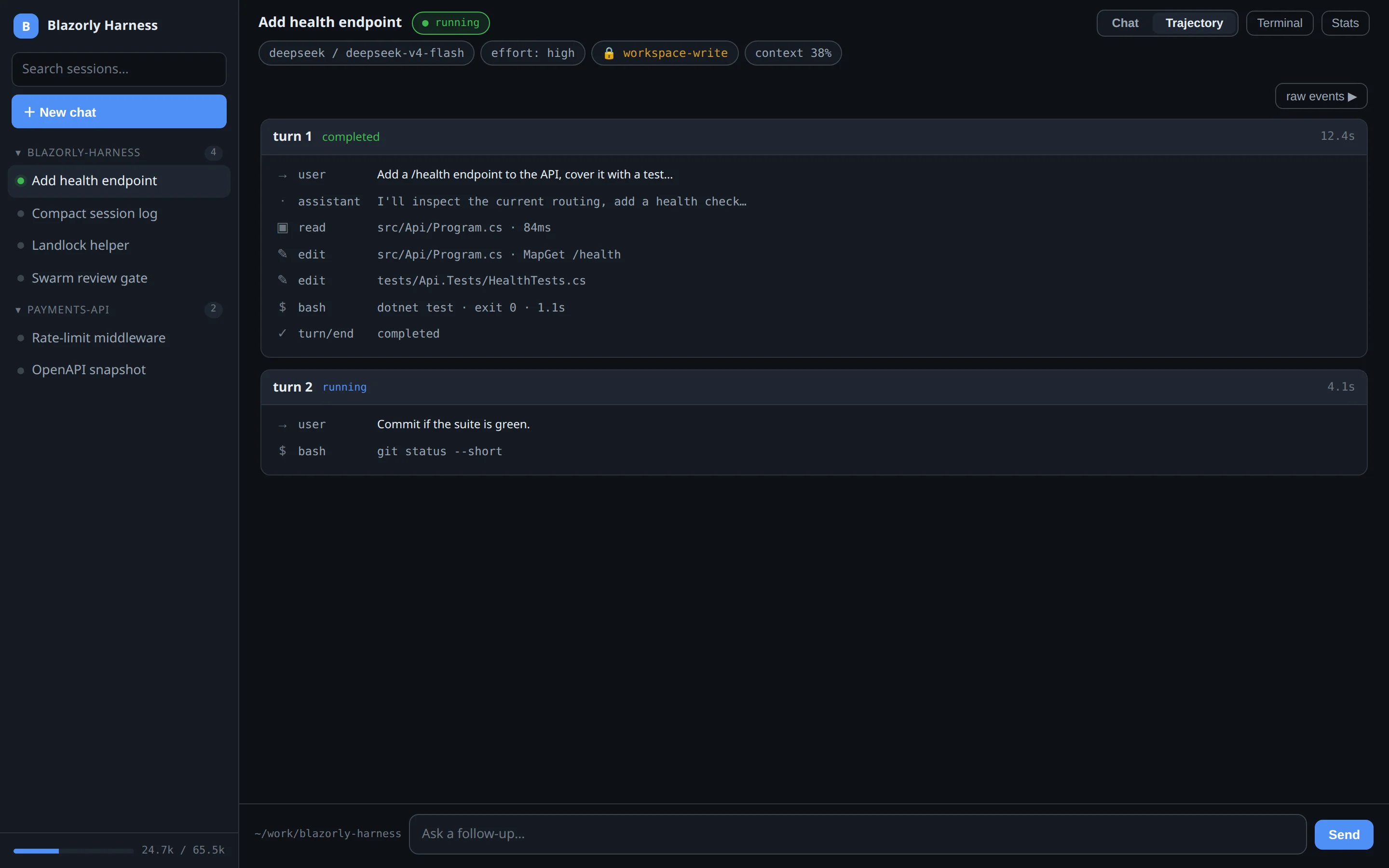
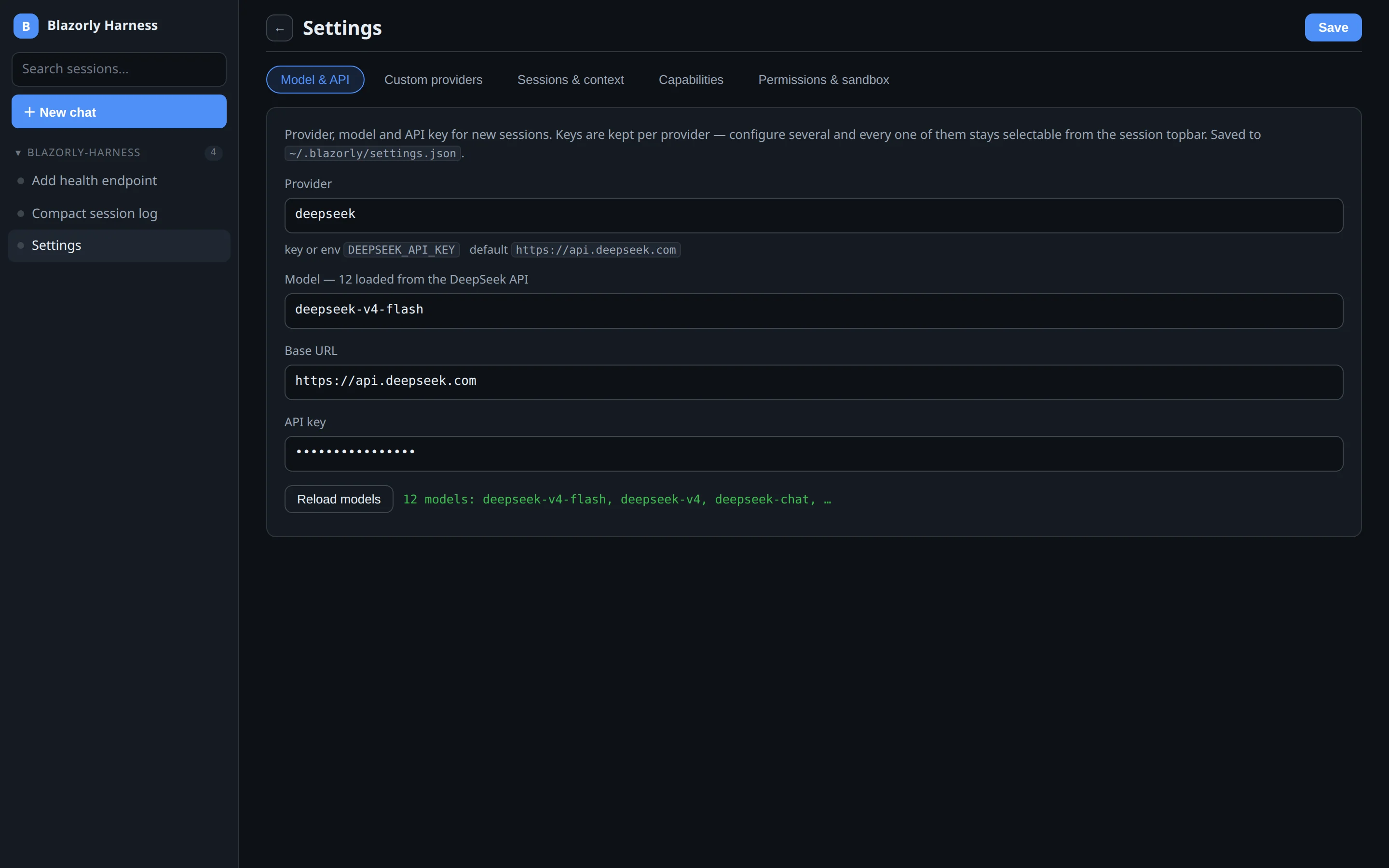
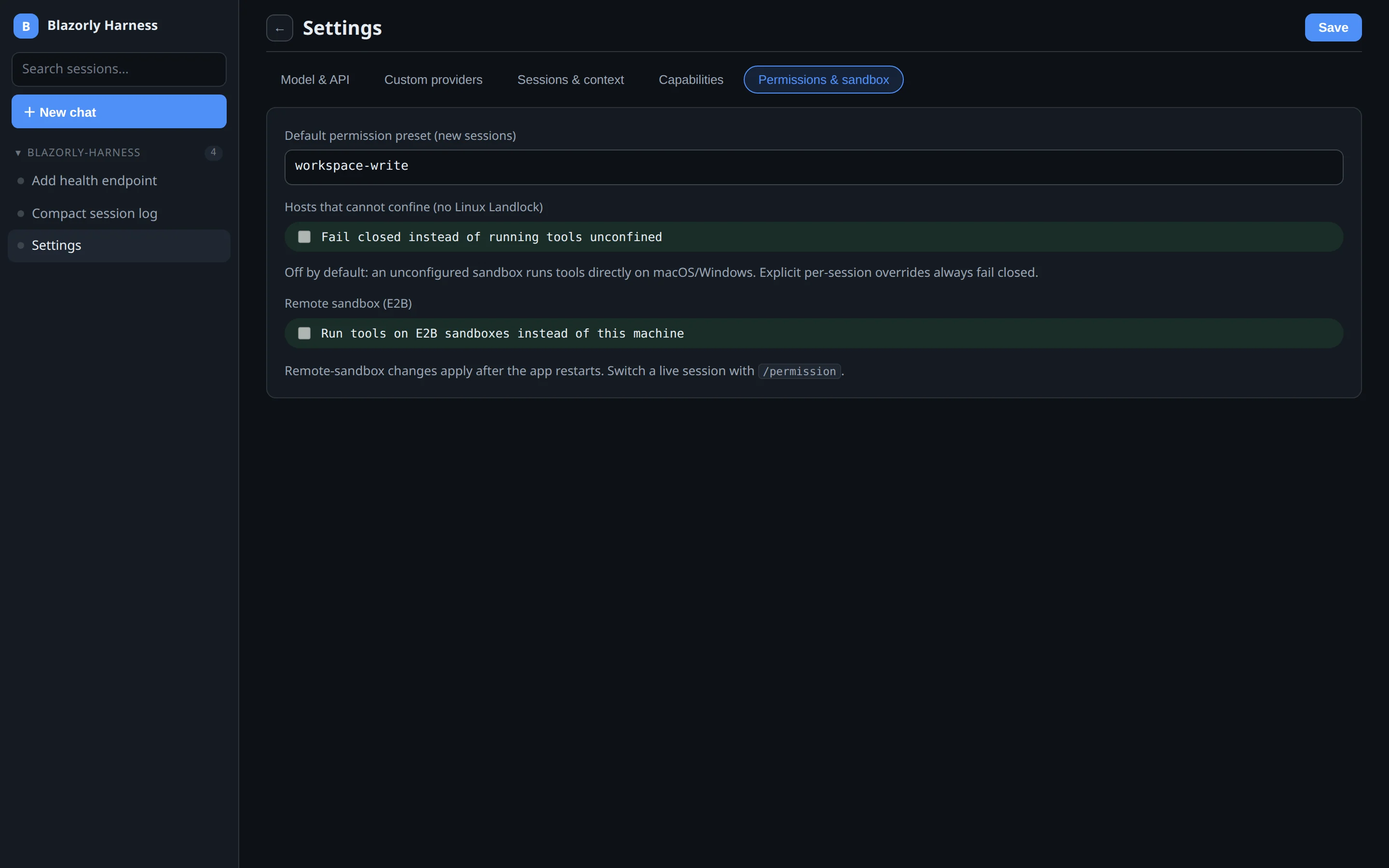
Settings is not one long form. It is five tabs. Screenshots and field-by-field notes are in the Settings guide.
| Tab | What you set |
|---|---|
| Model & API | Provider, model list from the API, base URL, key. Per-provider keys. |
| Custom providers | Extra OpenAI-compatible routes in the session picker. |
| Sessions & context | JSONL vs SQLite, window size, compaction, spill, local telemetry. |
| Capabilities | Which plugins exist: web, MCP, terminals, teams, System One, tool-gate. |
| Permissions & sandbox | Default preset for new sessions; optional E2B remote sandbox. |
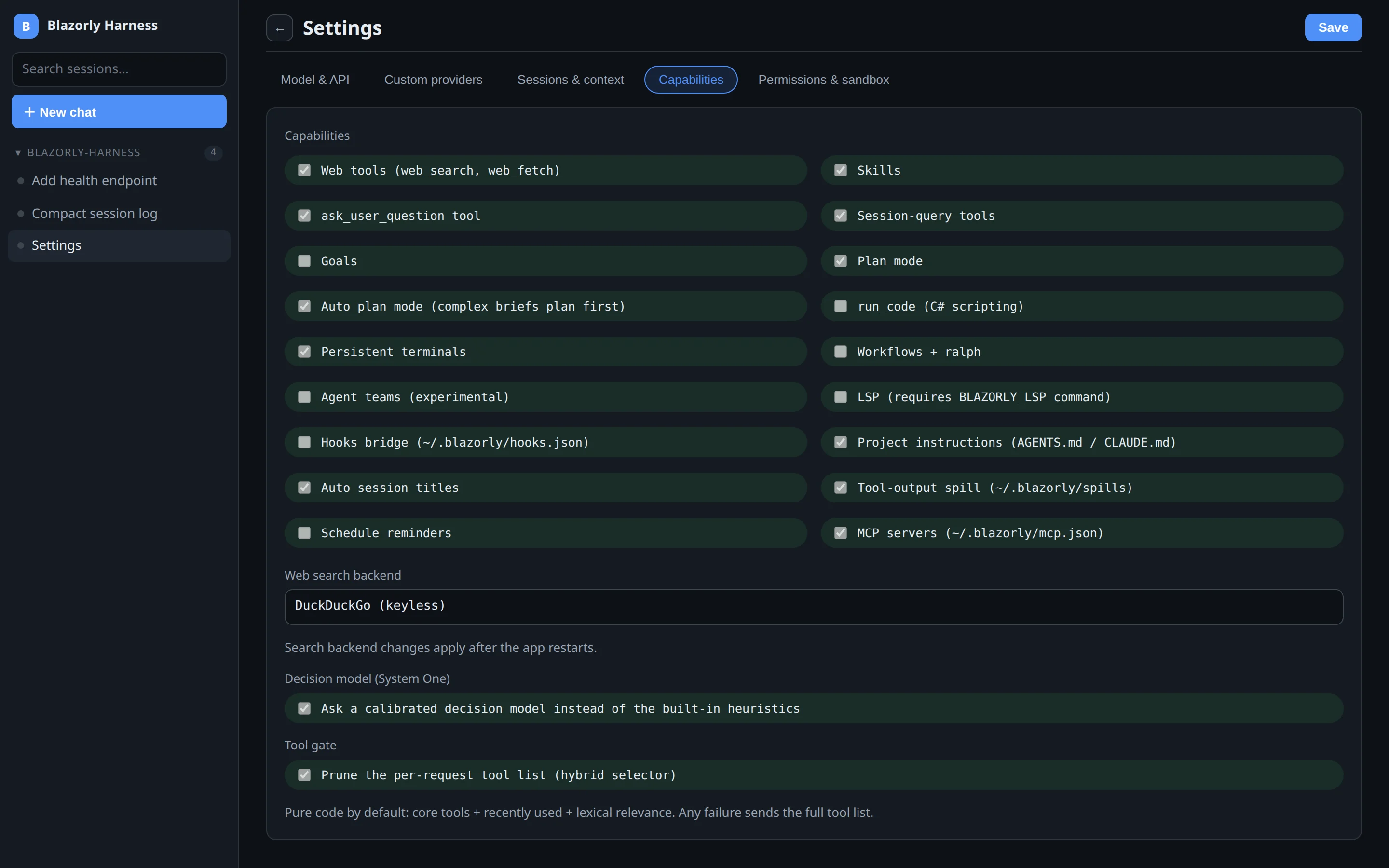
Chat vs Trajectory, plus Terminal and Stats, are documented with screenshots in session views. Chat is the conversation. Trajectory is the durable log as a timeline, with a raw-events pager for the JSONL.
The built-in toolset is what a coding agent needs to finish work, not a demo subset:
| Tool | What it does |
|---|---|
bash | Run a command. Cancel kills the process tree and records a structured abort. |
read / write / edit | File I/O with workspace policy from the permission preset. |
grep / glob | Search the tree without shelling out to a brittle find pipeline. |
web_search / web_fetch | Look things up and read URLs when the brief needs them. |
todo_write | Keep a visible task list in the session chrome. |
subagent_* | Start, message, list, and interrupt child agents. |
swarm / review | Fan-out with a reviewer; independent verdicts on the workspace. |
job_* | Background jobs: list, read output, kill. |
skill | Load skill instructions into the turn. |
session_search and traces | Query the durable log, not a screenshot of it. |
MCP servers you configure in settings are loaded as additional tools. Plugins you do not want can be disabled by name.
Delegation is reserved for work that is actually large or parallel. A one-file edit stays inline. When the lead does spawn children, they run inside the parent chat:
pass, fail, or concerns.subagent_list. Settled children cold-resume later.A delegated child never hangs on ask_user_question: it answers itself. See multi-agent orchestration.
Blazorly treats interruption as a first-class state, not an error path. The session log is append-only JSON-lines (or SQLite). Every turn ends with an explicit reason. Cancelled tools close with a durable result. Partial assistant output is committed. A process killed mid-turn leaves a log that reloads with in-memory repair and resumes. Measured: median 0.3 ms to abort mid-stream (in-process adapter); 148 ms median to abort inside a bash process-tree kill; a 132,010-event production session cold-replays in 1.29 s.
Headless runs map finish reasons to exit codes: 0 completed or max-tokens, 2 error or blocked, 3 aborted or interrupted. That is the contract CI should rely on. Read durable sessions.
Three presets, switchable with /permission:
full-access (default) — tools run on the host.workspace-write — writes confined to the session folder. On Linux, a Landlock helper jails bash and run_code.read-only — mutations denied.macOS and Windows build and run without Landlock; the confining presets simply cannot jail those tools there. The UI shows when a preset is degraded. Details in permissions and sandbox.
Optional. A small classifier handles seams a full LLM call is wasteful for:
auto-plan — does this brief need a plan before anything changes?risk-gate — could this call destroy data or leak secrets?tool-gate — which tools does the upcoming work need?The tool gate is hybrid: core + recently used + lexical relevance stay with zero extra calls. The ambiguous tail gets one System One choice, cached per brief. Any failure returns the full tool list — byte-identical to pre-gate behaviour. Stats at GET /api/decisions.
Works with DeepSeek, OpenAI, Anthropic, xAI, Ollama, LM Studio, and any OpenAI-compatible endpoint. Custom routes live in Settings. Z.ai ships two routes: pay-as-you-go and GLM Coding Plan. Model lists are discovered live from each provider’s API. Keys resolve per request.
blazorly                 # web UI, port 5080
blazorly run "job"       # headless, cwd is the workspace
blazorly sessions        # list / import / seed
blazorly init            # draft AGENTS.md (dry-run; --write to create)
blazorly eval            # scored task benchmarks
blazorly decisions       # System One doctor / probe
blazorly serve-stdio     # JSON-RPC automation protocol
blazorly serve-acp       # Agent Client Protocol for editors
blazorly update          # checksum-verified self-update
More in headless, CI, and editors.