Permission presets and sandboxing
Three presets. Switch them mid-session. Linux can jail bash; other platforms still enforce the write policy in the harness.
Blazorly’s permission presets control what the agent can touch. full-access (the default) runs tools on the host. workspace-write confines writes to the session folder. read-only denies mutations. Change the preset from Settings, from the session chip, or with /permission <preset>. On Linux, a Landlock helper compiled on first use jails bash and run_code for the confining presets. Without that helper, mutating commands fail closed rather than run unsandboxed.
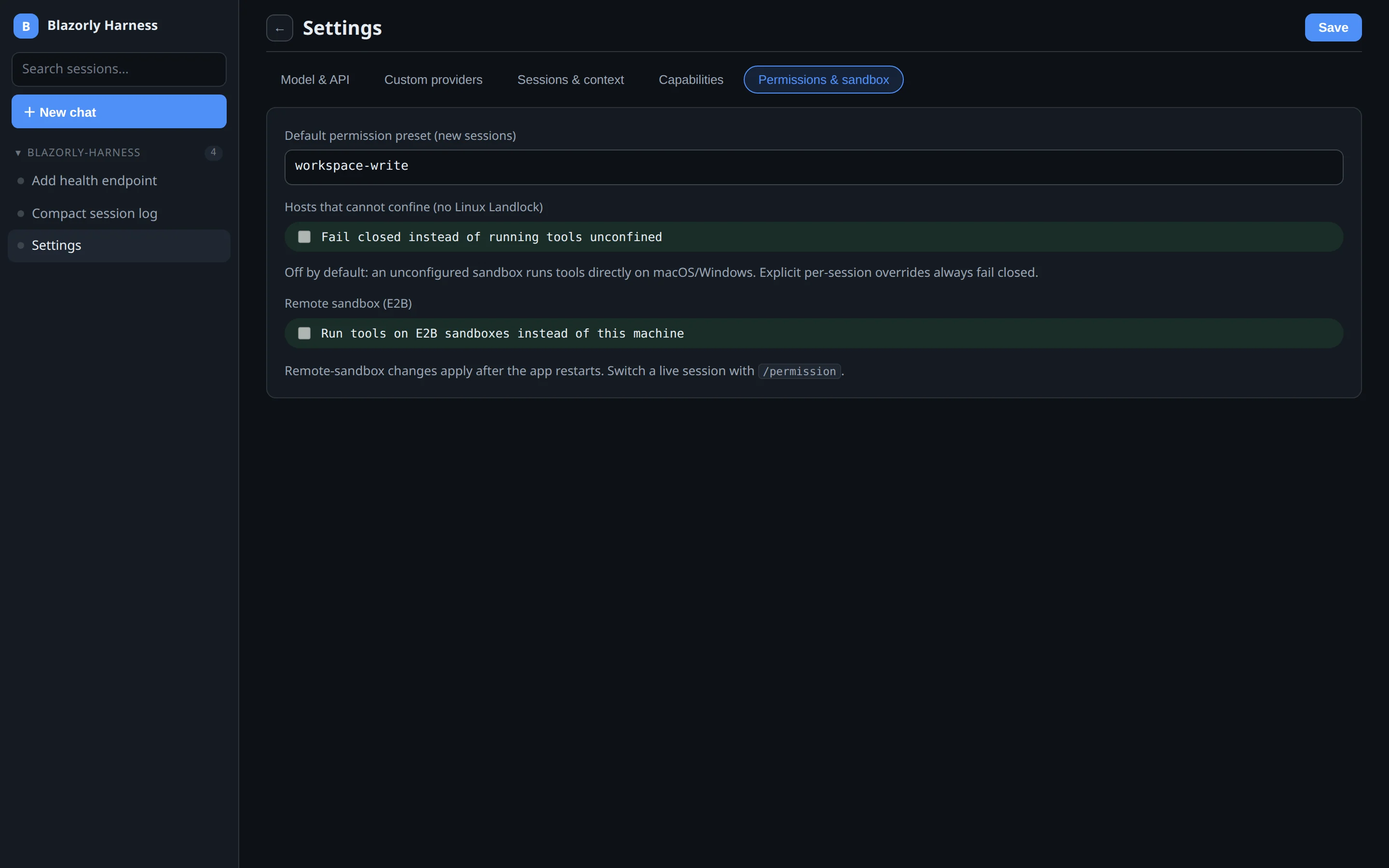
What each preset means
| Preset | Reads | Writes / bash | Use when |
|---|---|---|---|
full-access | Host | Host | You trust the loop on this machine and need it to operate outside the repo. |
workspace-write | As allowed | Session / workspace folder | The default you should switch to for unfamiliar briefs. |
read-only | Yes | Denied | Explain, review, or search — do not touch the tree. |
Landlock, and when it is missing
Linux kernel 5.13+ plus a C compiler for a small helper. macOS and Windows run the harness fine; they cannot apply Landlock to bash. The UI marks a degraded sandbox so you are not surprised. Policy in the file tools still applies: the harness will refuse writes that the preset does not allow even if the OS jail is absent.
Risk-gate
If System One is enabled with the risk-gate seam, calls that look like they could destroy data or leak secrets park for approval. That is a second line, not a replacement for the preset. Failure of the classifier does not fail open into a different preset; it falls back to the seam’s deterministic path.
Practical default
Install with full-access so the first session is not a maze. The moment you point Blazorly at a repo that is not a toy, switch that session to workspace-write. Keep read-only for “what does this codebase do?” on a tree you do not own.