Every session has two views and a handful of header chips. They are easy to miss if you only ever stay on Chat.
A Blazorly session has two tabs in the top-right: Chat and Trajectory. Chat is the conversation — streaming assistant text and live tool cards. Trajectory is the same turn as a timeline: user, assistant, each tool, turn/end, with durations. Next to those tabs sit Terminal (a persistent shell for the session) and Stats (turns, tokens, tool counts). Below the title, chips show provider/model, reasoning effort, the permission preset, and how full the context window is. Click the model chip to switch provider without opening Settings. Click the lock chip or type /permission to change the sandbox on this session only.
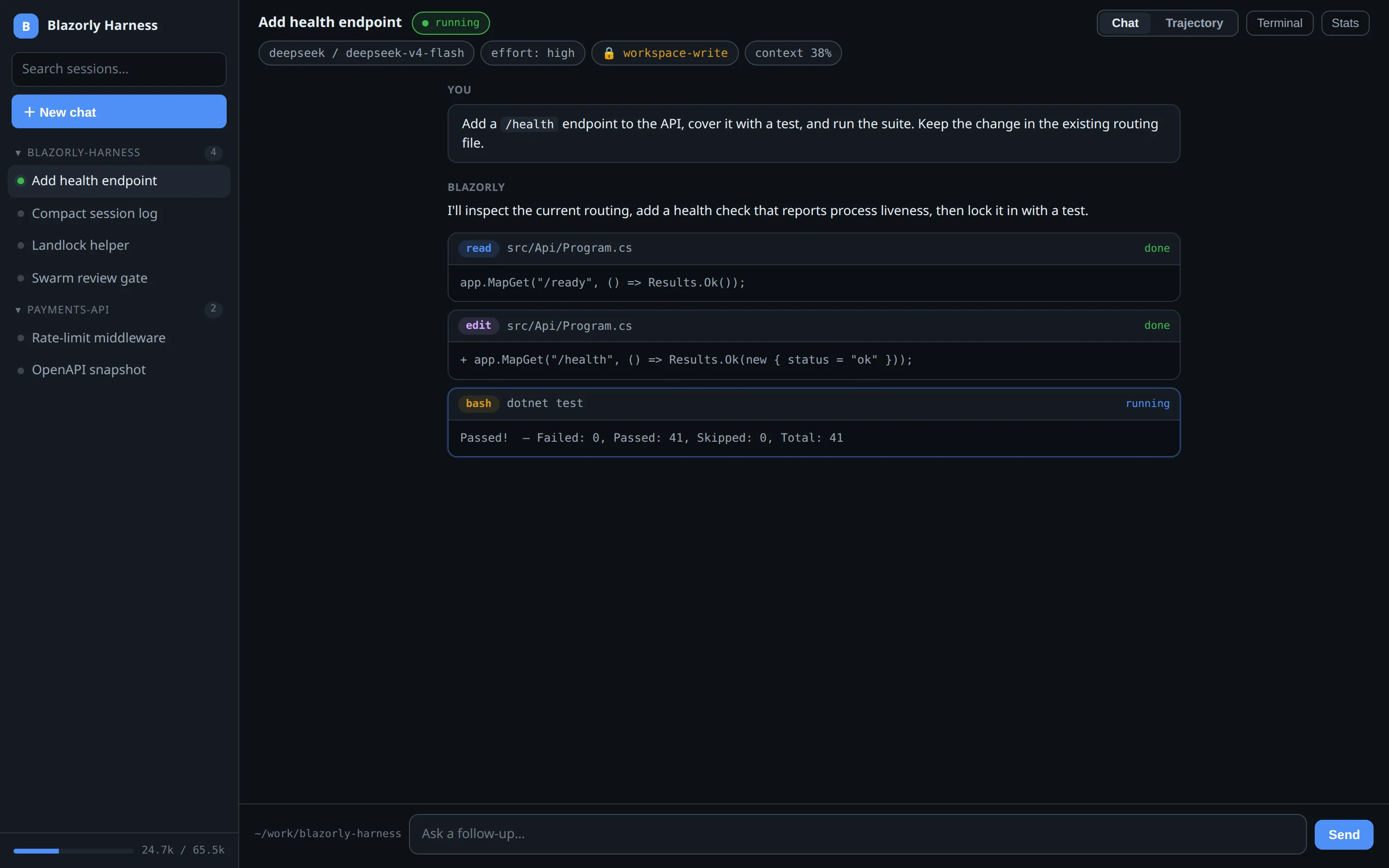
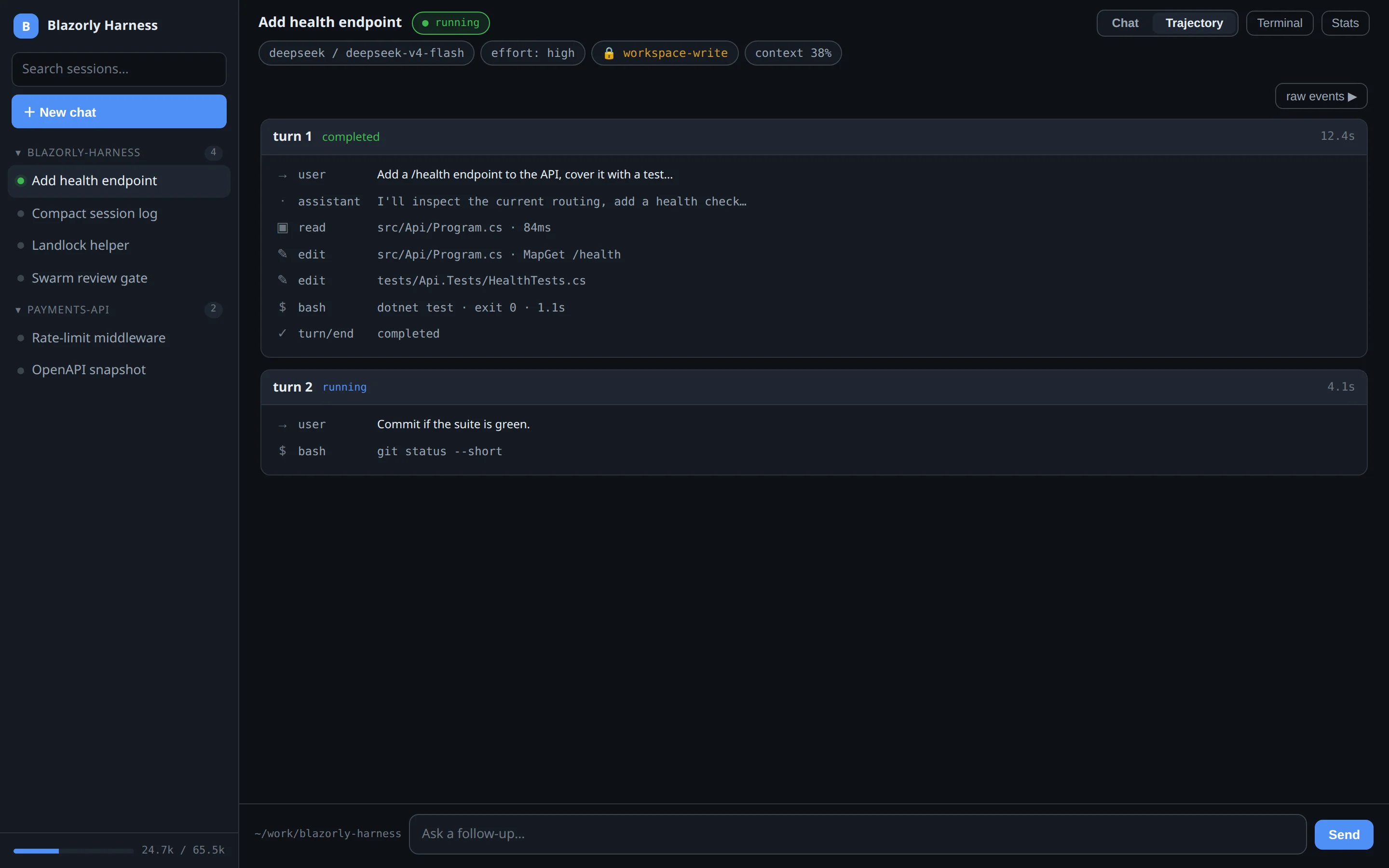
Chat tab — what you talk to. Tool cards land in the transcript as they run.Trajectory tab — same session, as a log of steps. “raw events” pages the JSONL.
Chat
Default view. User messages, assistant text, and tool cards (read / edit / bash / …) with a done or running badge. The composer at the bottom is bound to this session’s workspace — the cwd chip on the left is that folder. Stop cancels the in-flight turn; the cards close, partial text stays. That contract is in durable sessions.
If the agent wrote todos, a task list can dock on the right. If it spawned workers, the Agents panel docks there too — children do not open extra sidebar rows. See multi-agent.
Trajectory
Flip the tab when you care about order and cost, not prose. Each turn is a card: status (completed, running, aborted, error), wall time, then a row per event. That is the same append-only log the crash-repair path reads.
raw events ▶ switches off the pretty timeline and pages the underlying event table: seq, type, time, preview. Use it when you are debugging a stuck tool or quoting a sequence number. Pagination is for large sessions — a 132k-event log is not dumped in one paint.
Terminal and Stats
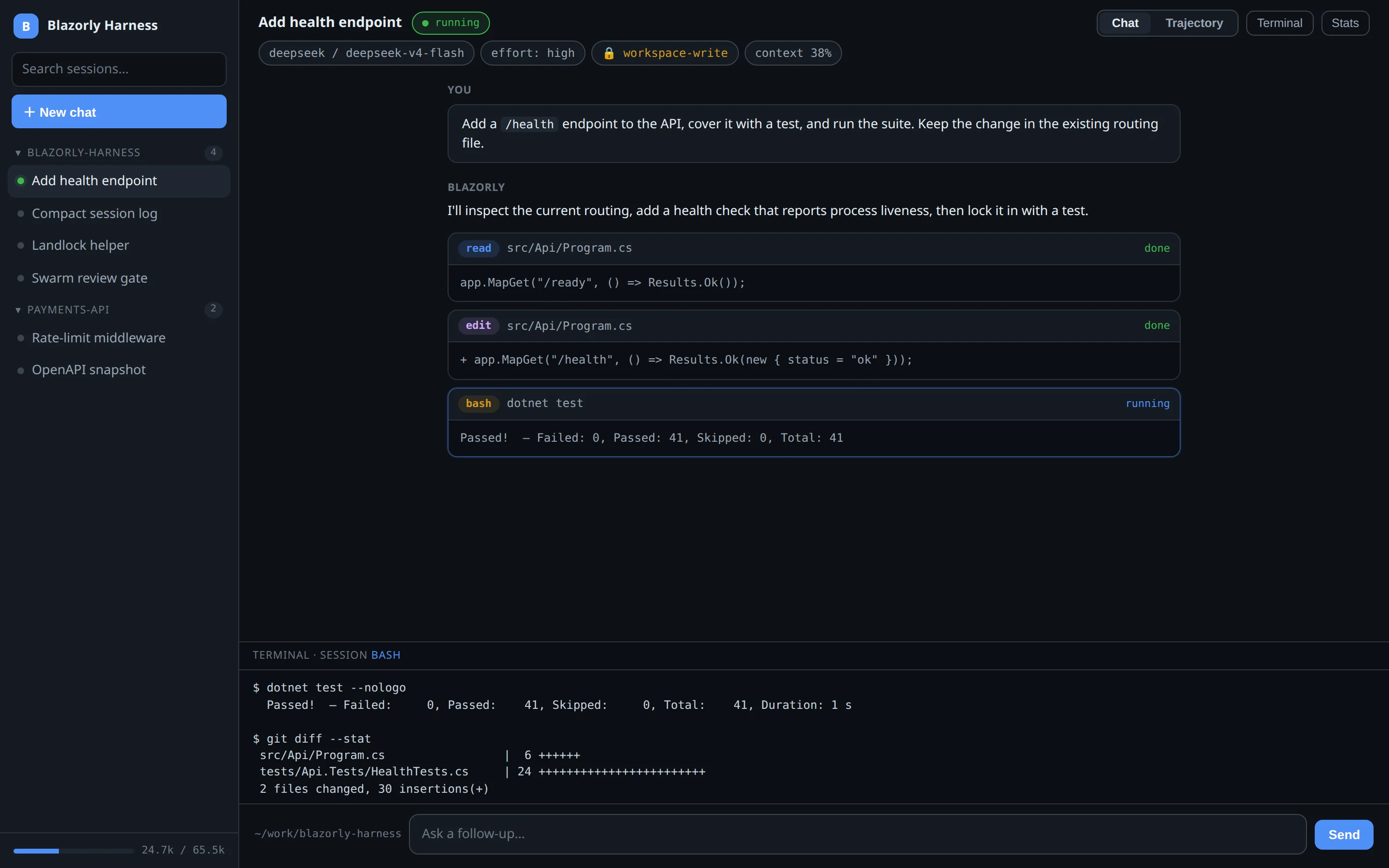
Terminal drawer — a persistent shell for this session, not a one-shot bash tool card.
Terminal opens a drawer at the bottom. It is a real shell that survives turns, so you can run git diff while the agent is idle. The bash tool is different: the model invokes it, it is logged, and cancel kills that process tree. Use the drawer when you want a prompt; let the tool fire when the agent needs a command.
Stats is a small panel: turn count, tokens in/out, duration, which tools ran. It is the same data as local telemetry, scoped to this session.
Header chips
Title — click to rename, or let auto-titles fill it (Capabilities tab).
running / idle — whether a turn is in flight.
provider / model — opens a picker. Load models on Settings → Model & API first if the list is empty.
effort — reasoning effort for the next turn, when the route supports it.
permission — full-access, workspace-write, or read-only for this session. A warning mark means the OS cannot jail bash (no Landlock).
context — how much of the window is used; compaction is configured under Settings → Sessions & context.
Fork, docs generation, and the task-list toggle sit in the same toolbar. They apply to this session, not to Settings.