The Settings page is five tabs along the top, a Save button, and a file on disk at ~/.blazorly/settings.json. Open it from the sidebar. Nothing here is a cloud console — the keys stay on this machine.
Blazorly Settings has five tabs: Model & API, Custom providers, Sessions & context, Capabilities, and Permissions & sandbox. Model & API is where a new install starts: pick a provider, load models from that provider’s API, paste a key. Custom providers add extra OpenAI-compatible routes. Sessions & context chooses JSONL or SQLite and the compaction window. Capabilities toggles tools (web, MCP, terminals, teams, System One, tool-gate). Permissions & sandbox sets the default preset for new sessions. Click Save. A live session can still switch model and permission from its own top bar without revisiting this page.
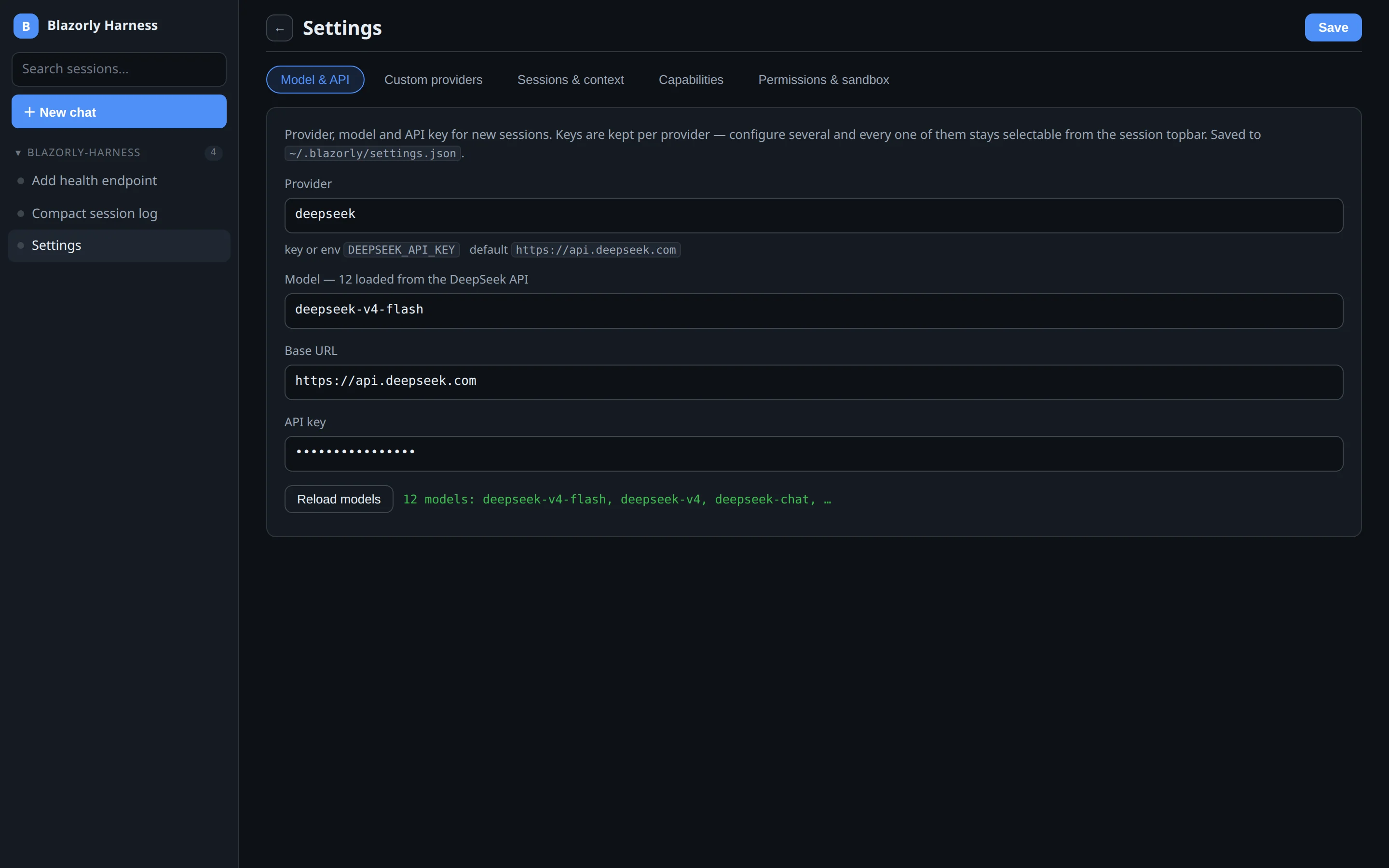
Model & API — first tab after install. Load models from the provider, then Save.
Model & API
This tab is the default. It sets the provider and model used for new sessions. Keys are stored per provider, so you can keep DeepSeek, Anthropic, and a local Ollama endpoint configured at once and pick among them from the session chip.
Provider — grouped into cloud, local, and other. Changing it clears the model list until you load again.
Model — filled by “Load models from the API”, not a hardcoded menu. Enter the key first if the provider needs one.
Base URL — override the default endpoint; a chip resets it.
API key — password field. The matching environment variable wins if this field is empty. A DeepSeek key is never sent to an OpenAI route.
Local setups (Ollama, LM Studio) show a “runs on your machine” chip and treat the key as optional.
Custom providers
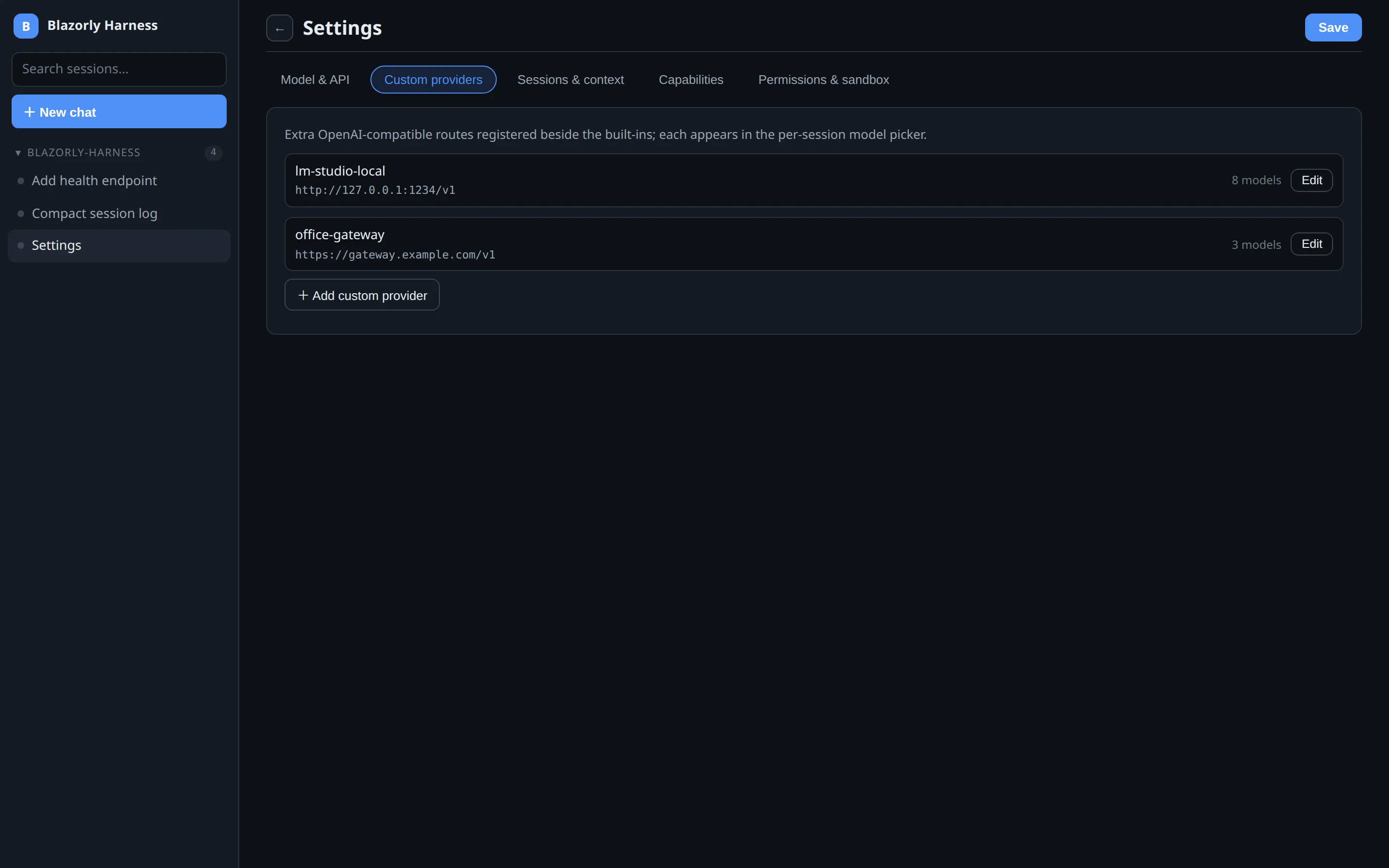
Custom providers — extra OpenAI-compatible routes next to the built-ins.
Use this tab when the model is behind a proxy, a company gateway, or a local server that speaks the OpenAI protocol but is not in the built-in catalog. Each row is a name, a base URL (include /v1), an optional key or env var, and a list of model ids. After Save, the name appears in the session model picker beside DeepSeek and the rest.
Name must be unique and must not collide with a built-in provider id. Discover models after saving if you would rather not type ids by hand.
Sessions & context
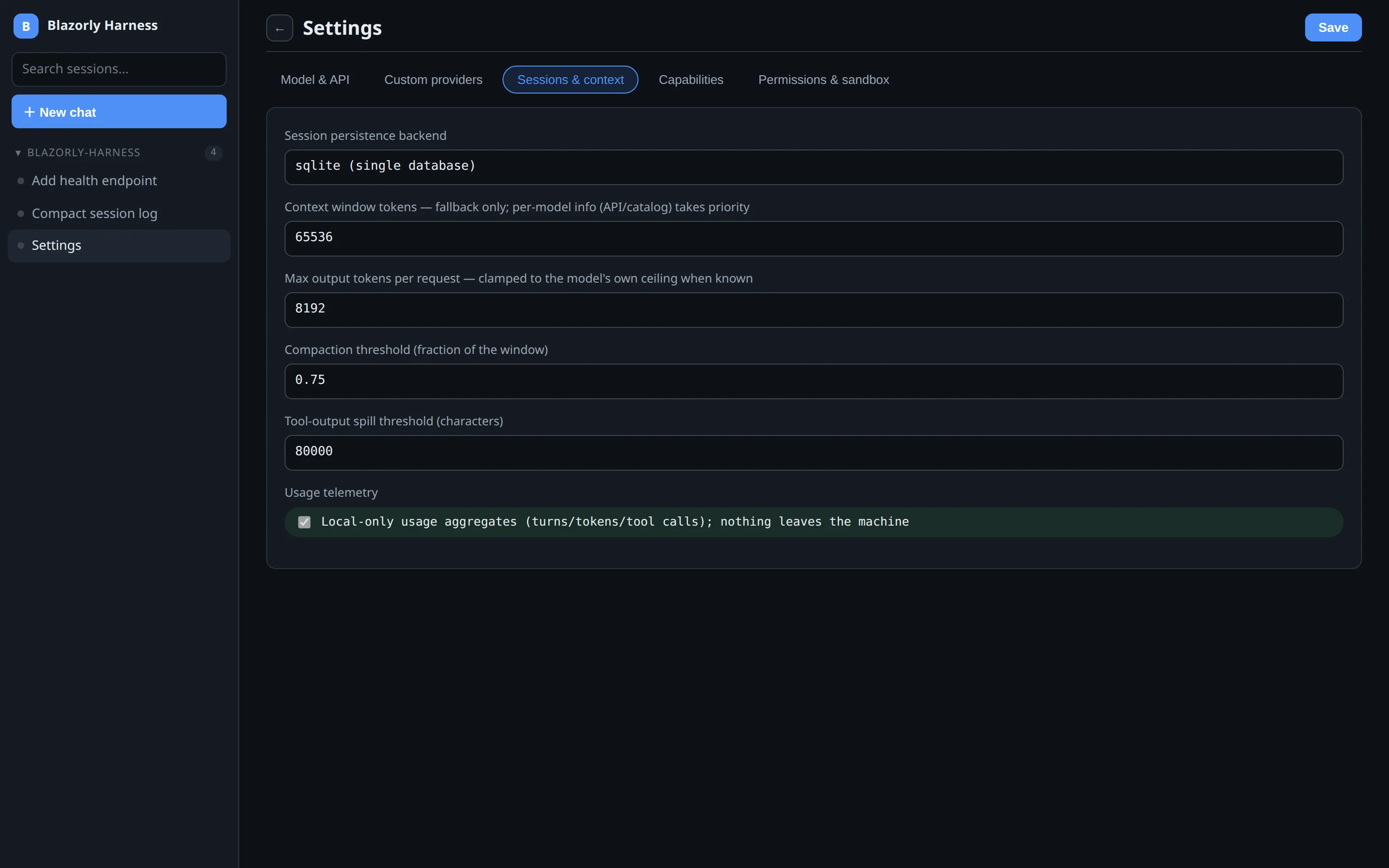
Sessions & context — where the log lives, and when compaction kicks in.
Persistence — jsonl (one file per session) or sqlite (one database). Existing sessions stay where they were; blazorly sessions import migrates JSONL into SQLite.
Context window tokens — fallback only. If the provider catalog or API reports a window, that wins.
Max output tokens — clamped to the model’s own ceiling when known.
Compaction threshold — fraction of the window at which older turns get compacted. The log on disk is not rewritten; compaction is a surface projection.
Spill threshold — huge tool output is written to ~/.blazorly/spills instead of stuffing the prompt.
Telemetry — local aggregates of turns, tokens, and tool calls. Nothing leaves the machine.
Capabilities
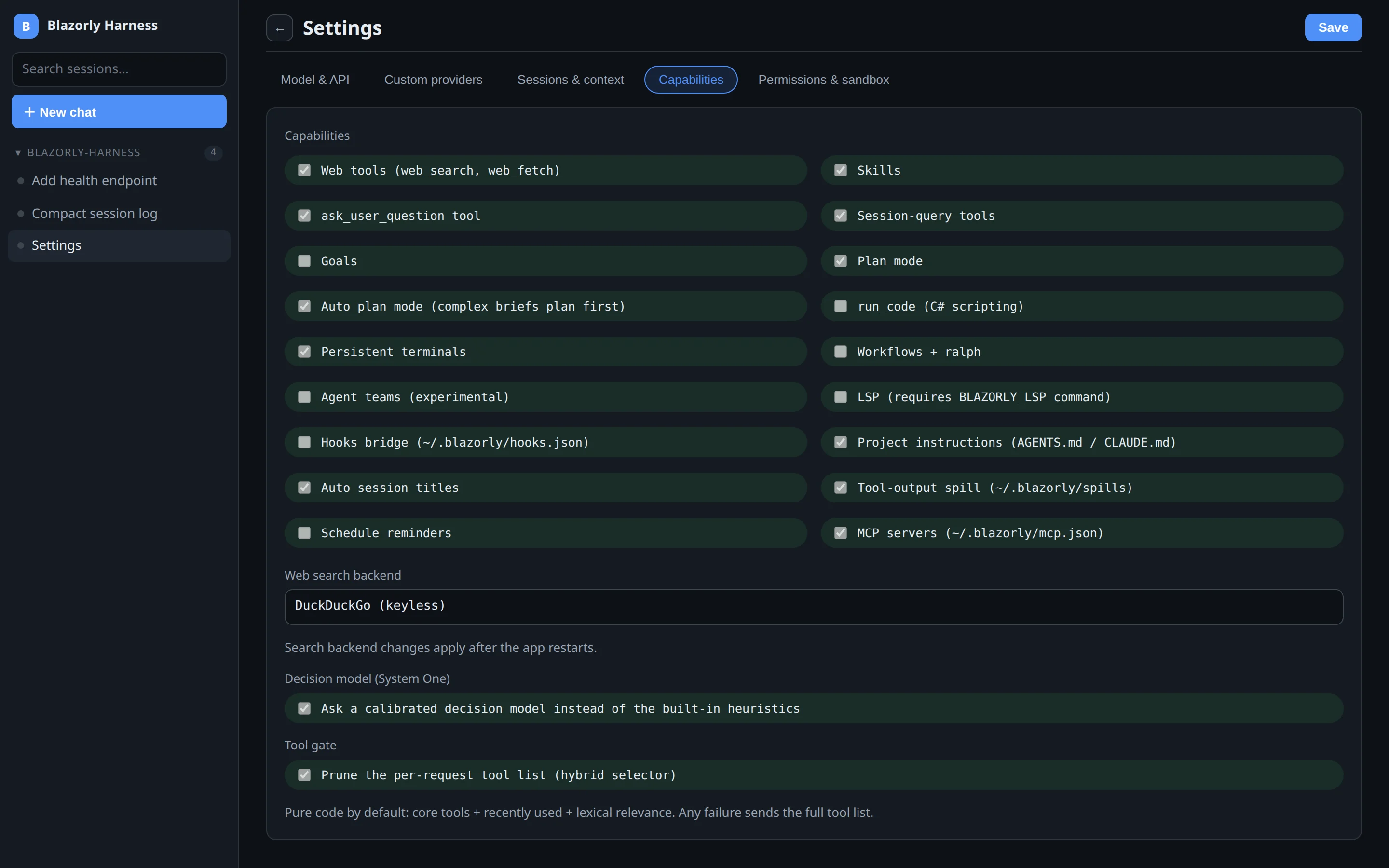
Capabilities — turn tools and features on or off. Disabled plugins never reach the model.
Each checkbox is a plugin. Off means the tools are not in the schema, not “present but denied.” That is how you keep a small tool list without the tool-gate.
Toggle
What you get
Web tools
web_search and web_fetch. Backend: DuckDuckGo (no key), Tavily, or Brave.
Skills
Load skill instructions into a turn.
ask_user_question
The agent can pose multiple-choice questions. Delegated children answer themselves.
Session-query
Search and trace the durable log.
Plan mode / Auto plan
Plan before the first mutation; auto-plan can engage from System One.
Persistent terminals
The session terminal drawer.
Agent teams
Experimental teammate tools.
MCP servers
Tools from ~/.blazorly/mcp.json.
Project instructions
Reads AGENTS.md / CLAUDE.md from the workspace.
System One
Optional decision model for auto-plan and risk-gate.
Tool gate
Prune the per-request tool list. Failure returns the full list.
Web-search backend and System One endpoint changes apply after the app restarts. Probe the decision endpoint with blazorly decisions probe.
Permissions & sandbox
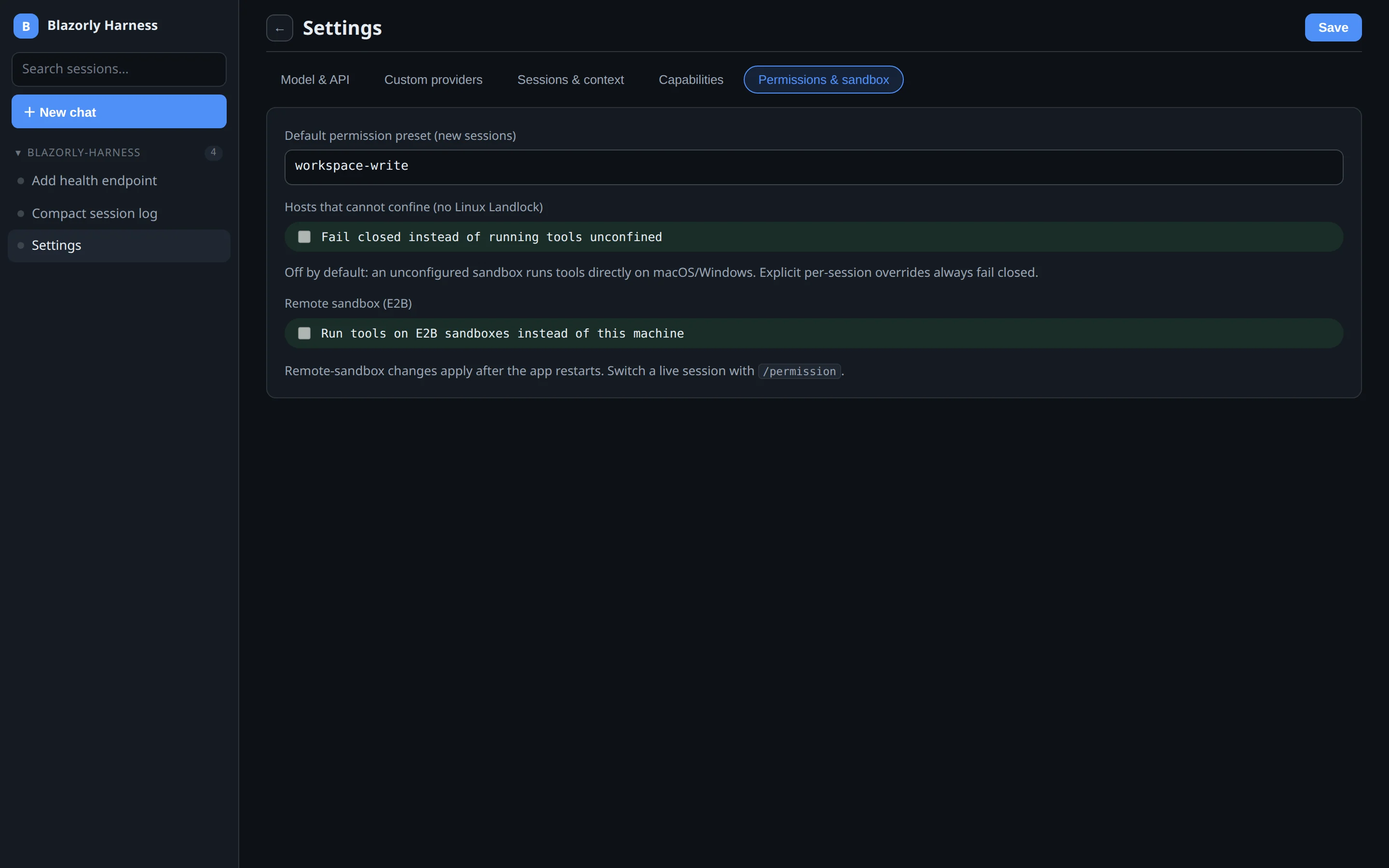
Permissions & sandbox — default preset for new sessions. A live chat still uses /permission.
This tab sets the default for new sessions:
full-access — tools run on the host.
workspace-write — writes confined to the session folder. Linux Landlock jails bash and run_code.
read-only — mutations denied.
An already-open session does not jump when you Save here. Change that session from the lock chip on its header, or with /permission workspace-write. Optional: fail closed on macOS/Windows where Landlock does not exist, and an E2B remote sandbox if you want tools off this machine. E2B changes need a restart. More in permissions and sandbox.
What this page is not
Settings does not start a chat. It does not pick the workspace — that is the sidebar “New chat” menu. It does not switch Chat vs Trajectory — those tabs live on the session header. See session views and tabs.